Discovering CSP Resellers and Creating a Tier Configuration Registration
Before migrating Azure CSP subscriptions to Azure NCE, it is necessary to discover the resellers currently registered in Azure CSP. To do this, complete the following steps:
-
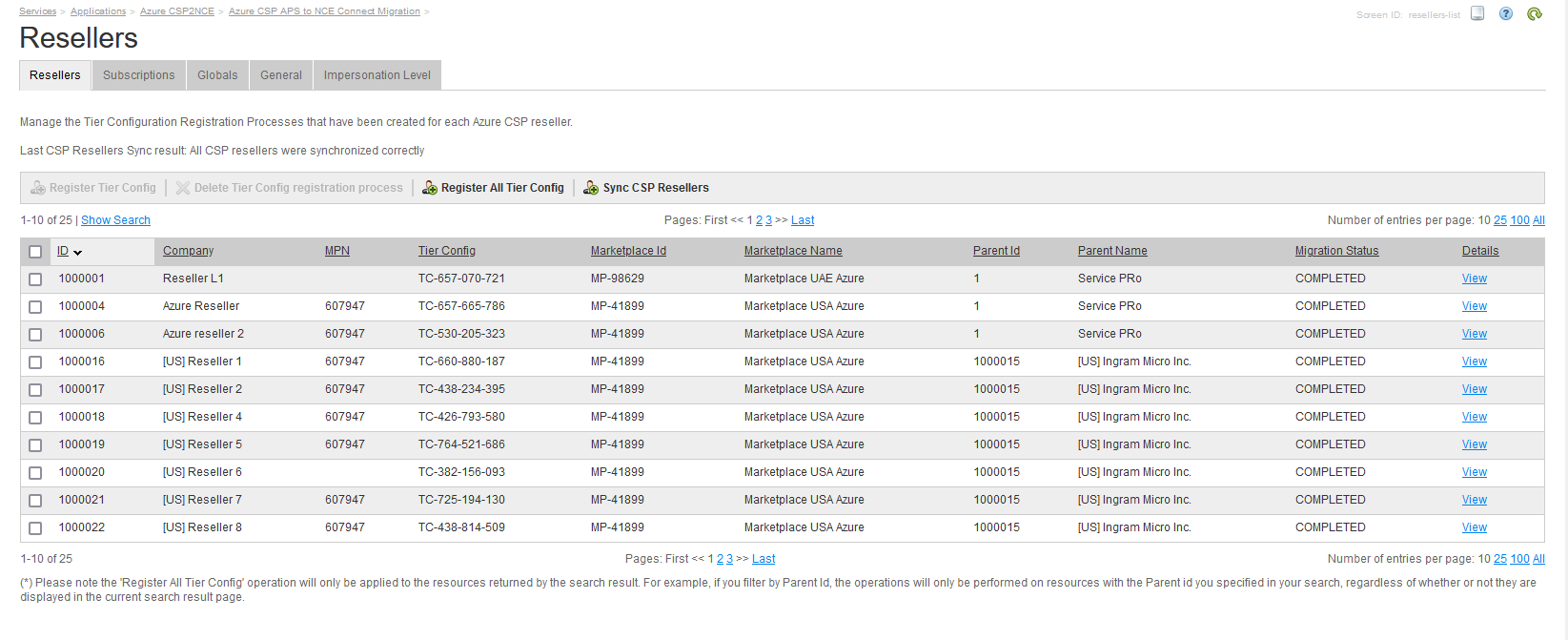
Click the Azure CSP2NCE application instance to go to the Resellers tab.
Note: The Resellers tab will only be available after configuring the application settings.
-
Click Sync CSP Resellers to discover the resellers that are registered in Azure CSP. This will generate a "Migration Reseller" resource, which will be used to manage the Tier Configuration process on Azure NCE.
Note: The reseller discovery process may take a long time.
-
The next step consists of executing a Tier Configuration registration process for each of those resellers. To do this, select the corresponding resellers in the list and click Register Tier Config. Alternatively, you can click Show Search to filter by Parent ID and then use the Register All Tier Config button to execute the Tier Configuration process for all the resellers returned by the search result (in this case, you will not have to select the resellers in the list).